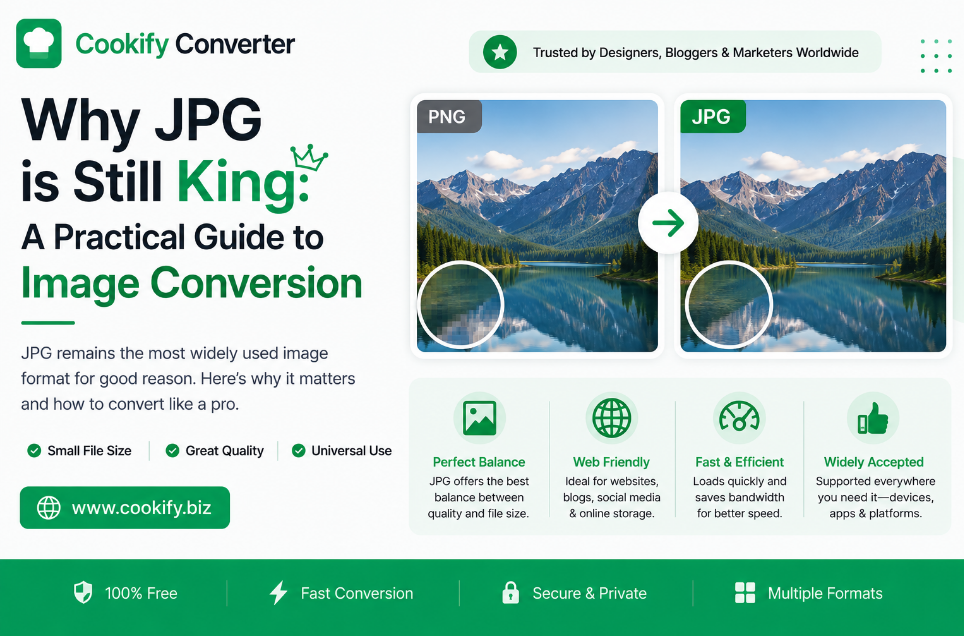
Why JPG Is Still King: A Practical Guide to Image Conversion
If you spend enough time in web development or photography, you'll hear a lot of noise about "next-gen" formats. WebP and AVIF are genuinely impressive pieces of engineering, but there's a reason JPG has remained the default image format on the web for three decades: it works, everywhere, without exception.
After years of managing image-heavy websites, I've settled on one simple rule: compatibility beats complexity, most of the time.
Why JPG Has Lasted This Long
JPG (or JPEG — Joint Photographic Experts Group) was designed specifically for photographs, and that design choice still shows. It uses lossy compression built around how the human eye perceives color and brightness: it keeps fine detail in brightness (luminance) while discarding some color detail that's harder for the eye to notice, a technique called chroma subsampling. For real-world photos full of gradients and subtle color transitions, this produces small files that still look good to the eye — which is exactly the use case JPG was built for.
Where JPG still makes the most sense:
- Photography. For photos with lots of natural color variation, JPG's compression approach genuinely works well, balancing file size against visual quality.
- Email and social media. Most platforms are built around JPG as the expected format, and it avoids compatibility surprises when files get re-processed by third-party systems.
- Maximum compatibility. From decade-old browsers to the newest phone, JPG decodes natively everywhere — no exceptions, no fallback needed.
Where JPG falls short:
- No transparency. There's no alpha channel in the format at all, so a transparent background isn't possible — you'd need PNG or WebP instead.
- Quality loss on repeated saves. Every time a JPG is re-saved, it's re-compressed, and a little more detail is lost. Repeated editing and saving of the same JPG will gradually degrade it.
- Larger files for flat graphics. Logos, text, and images with sharp edges tend to compress poorly as JPG compared to PNG or SVG, often showing visible artifacts around hard edges.
My Approach to Image Optimization
Converting a file is only half the job — optimizing it is what actually improves a website. A good conversion process does more than change a file extension; it should also:
- Strip unnecessary metadata. Photos straight from a camera or phone often carry EXIF data — camera model, GPS location, timestamp, and more — that adds file size without any visual benefit for a website image.
- Tune the compression level deliberately, rather than applying one blanket setting to every image.
- Preserve the color profile, so images don't come out looking washed out or shifted in tone after conversion.
A Practical Workflow
- Assess the source image first. A simple icon or logo is usually better served by PNG or SVG. A complex photograph is where JPG earns its keep.
- Tune quality deliberately, not by guesswork. Compressing to the lowest setting available produces visible blocky artifacts, especially around edges and text. A better approach is to compare a few quality levels (roughly 60–85% on most tools) and pick the point where the file size drops significantly but the visual quality holds up — this "sweet spot" varies by image, so it's worth checking rather than assuming.
- Consider progressive JPEG for web use. A progressive JPEG loads as a low-resolution preview that sharpens as more data arrives, rather than rendering top-to-bottom like a baseline JPEG — this can make a page feel faster even before the full image has loaded.
- Check the final output. Confirm colors haven't shifted and that fine detail (especially in shadows) hasn't turned into blocky noise.
Technical Comparison
| Metric | JPG | PNG | WebP |
|---|---|---|---|
| Browser support | Universal | Universal | All modern browsers |
| Best for | Photography | Logos, icons, transparency | General web use |
| Transparency | Not supported | Supported | Supported |
| Compression | Lossy only | Lossless only | Lossy or lossless |
| Repeated-save quality loss | Yes | No | No (lossless mode) |
Frequently Asked Questions
Does JPG quality drop every time you save it? Yes — JPG is a lossy format, so each re-save re-compresses the image and discards a bit more data. This is why it's best practice to always export from the original high-quality source file rather than repeatedly editing and re-saving an already-compressed JPG.
What should I do if I need a transparent background? JPG simply doesn't support transparency at the format level — there's no way around this. Convert to PNG (for lossless quality) or WebP (for a smaller file with transparency support) instead.
What's the difference between baseline and progressive JPEG? A baseline JPEG loads from top to bottom in full quality as the data arrives. A progressive JPEG loads a blurry, low-resolution version of the whole image first, then sharpens in passes as more data comes in — often a better experience on slower connections, since the visitor sees the full image outline sooner.
Should I remove EXIF data from my images? For most website uses, yes. EXIF metadata (camera settings, GPS coordinates, timestamps) adds file size without any benefit to visitors, and stripping it is a simple, safe way to shave off extra kilobytes — just keep an unstripped copy of the original if you need that metadata for your own records.
Can batch processing handle a large photo library? Most converters that support batch uploads can process many images in one pass, applying the same settings across all of them, which is far faster than adjusting each image individually.
Final Advice
Don't chase the newest format just because it's newer. If your priority is a fast, universally accessible, professional-looking website, a properly optimized JPG — right quality setting, metadata stripped, progressive encoding where it helps — is still one of the most reliable tools available for photographic images.